


Getting shelf layouts wrong is expensive. Products placed at the wrong height, in the wrong sequence, or without enough facings lead to missed sales, higher out-of-stocks, and store teams who spend more time guessing than selling. Planogram software solves that, but with dozens of tools on the market, choosing the right one takes more than a quick search.
We tested and reviewed 14 planogram software platforms to help you find the right fit for your operation. The list covers tools built for different scales: from mid-market retailers who need fast planogram creation to large chains running thousands of stores where automation and compliance tracking are non-negotiable. We looked at feature depth, AI capabilities, integration options, ease of use, and how each tool holds up for real retail workflows.
One tool I want to flag early: LEAFIO AI stands out for teams that need to go beyond layout creation. Its planogram software connects shelf planning to in-store execution through AI-powered compliance verification, so what gets planned at HQ actually lands on the shelf. If that is the gap you are trying to close, it is worth looking at closely.
What Is Planogram Software?
Planogram software is a tool that helps retailers design, optimize, and distribute shelf layouts across their store network. It lets category managers control product placement using sales data, facing rules, and space constraints and ensures that what gets planned at headquarters actually reaches the shelf. Modern platforms go further, connecting layout decisions to inventory systems, automating planogram generation, and tracking whether stores are executing the plan.
Why Planogram Software Matters
The problem with manual merchandising is scale. A single category manager overseeing 200 stores cannot meaningfully optimize every shelf by hand. The result is generic layouts that ignore local demand, low-velocity items holding eye-level space, and execution gaps that no one has the bandwidth to catch.
According to research cited by SmartSpotter, consistent planogram compliance can improve retail profits by 8.1% through reduced stockouts and better space utilization. LEAFIO AI's internal data shows that execution verified through AI compliance tools can improve sales per square foot by 15 to 25%.
Without dedicated planogram software, most retail chains run into the same set of problems:
- Planogram updates lag behind assortment changes by weeks or months
- Compliance is self-reported and rarely verified until a quarterly audit
- Store-specific demand patterns get overridden by chain-wide layouts
- Merchandising teams spend most of their time on layout creation, not category strategy
- Space allocation decisions are made on habit rather than sales-per-meter data
How We Picked the Best Planogram Software
We spent time reviewing each platform's documentation, available demo materials, and user feedback on G2 and Capterra. Here is what we evaluated:
- Planogram generation depth. Can the tool auto-generate layouts from sales data, or is it a drawing tool that formats what someone builds manually? We prioritized software that treats generation as an optimization problem, not a formatting task.
- Store-level customization. Chain-wide templates are a baseline. What matters is whether the platform adapts a planogram to store dimensions, local assortment, and cluster-specific demand, without requiring manual adjustment for every location.
- Mobile execution support. A planogram that lives in a PDF is easy to ignore. We looked for platforms that push updates to store staff, support barcode scanning or photo verification, and give HQ real-time compliance visibility.
- Analytics and reporting. Sales per meter, facing efficiency, ABC analysis, and turnover by category—these should be built in, not bolted on.
- Integration with ERP and POS systems. Master data, sales figures, and inventory levels need to flow in from existing systems. We checked how each tool handles SAP, Oracle, and common retail POS integrations.
- Pricing transparency and onboarding. For smaller teams, the ability to start with a free tier or trial matters. For enterprise buyers, we noted implementation timelines and support depth.
Quick Comparison: Best Planogram Software at a Glance
| Tool | Best For | Price Range | Free Trial? | Key Feature |
|---|---|---|---|---|
| LEAFIO AI | Mid-to-large grocery & FMCG chains | Custom pricing | Yes (demo) | AI-automated planogram generation + in-store compliance verification |
| DotActiv | Enterprise CPG category management teams | From ~$800/year | Yes (free tier) | Category management + AI-assisted placement logic |
| Blue Yonder | Large enterprise retailers with supply chain complexity | Contact for pricing | Demo only | Automated planograms + store clustering at enterprise scale |
| RELEX Solutions | Large retailers running thousands of stores | From ~€3,000/year | Demo only | Locally optimized planograms + unified supply chain integration |
| Spaceman by Trax | CPG teams in the NielsenIQ ecosystem | Contact for pricing | Demo only | Drag-and-drop planogramming + NielsenIQ data integration |
| GoPlanogram | Small to mid-size CPG teams on a budget | Mid-market | Yes (free trial) | Fast setup, professional planogram output without enterprise overhead |
| EZPOG | Manufacturers and wholesalers | From ~$1,299/license | Yes (free trial) | Cloud-based layout creation + financial analysis tools |
| PlanoHero | Growing retail chains automating shelf management | Contact for pricing | Yes (demo) | AI auto-fill for shelf space + mobile execution tools |
| Nexgen POG | Small to mid-size retailers on a tight budget | From $400/year | Yes (free trial) | Unlimited licensing + automated planogram templates |
| OPENCatman | International retailers needing multi-language support | Contact for pricing | Demo only | Multi-language interface + category management features |
| SmartDraw | Single planograms and buyer presentations | From ~$9.95/user/mo | Yes (online demo) | Template-based drag-and-drop planogram drawing |
| Creately | Collaborative visual shelf planning | Free tier; paid from ~$5/user/mo | Yes (free tier) | Real-time collaboration on planogram diagrams |
| ShelfLogic | Small teams doing manual shelf planning | License-based | Yes (free download) | Dedicated manual planogram editor with reports |
| Scorpion Planogram | Growing chains needing design and automation | Contact for pricing | Yes (demo) | Planogram design with 3D view and automation modules |
14 Best Planogram Software: In-Depth Reviews
1. LEAFIO AI: Best Planogram Software for AI-Driven Shelf Optimization
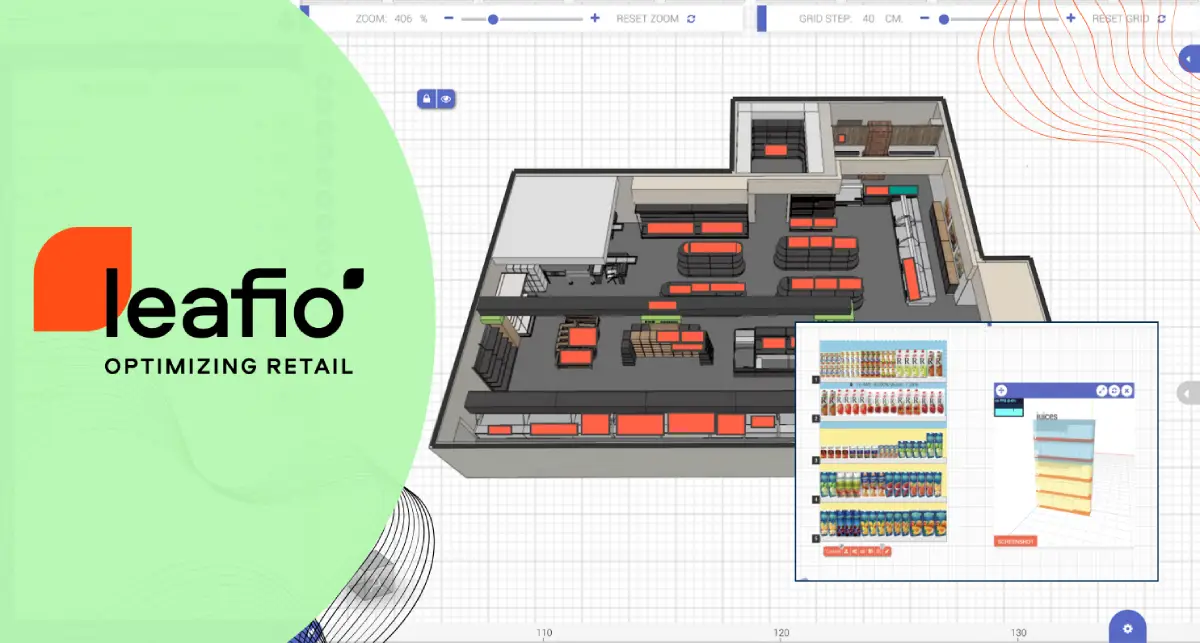
LEAFIO Shelf Efficiency is built for retailers who need planogram software to do more than create layouts. The platform covers the full cycle, from automated planogram generation and floor planning to in-store execution verification, without requiring separate tools for each step. It is a strong fit for grocery and FMCG chains managing high-SKU categories that change frequently enough to make manual planogram rebuilds impractical.
What separates it from drawing tools and most planning platforms is the generation logic. Rather than asking a category manager to place products manually, LEAFIO uses sales data, ABC analysis, turnover rates, and user-defined rules to build planograms automatically. The autofacing feature calculates required facing counts based on velocity, so layouts reflect actual demand at the store level.
The compliance side is where LEAFIO AI closes a gap most planogram tools leave open. Store associates photograph shelves through a mobile app, and the system uses AI image recognition to check the photo against the approved planogram. HQ gets real-time visibility into execution quality across all locations.
What sets LEAFIO Shelf Efficiency apart is that it’s embedded in the LEAFIO AI Retail Platform, not just a separate piece of software. It pulls everything together by integrating with Inventory Optimization and Assortment Performance. This connection forms a single data source for planning, replenishment, and execution. You eliminate data silos, boost consistency across your teams, and guarantee that products chosen for the assortment are always correctly stocked and showcased on the shelf.
By combining auto-generated planograms, store-level optimization, and execution verification, LEAFIO helps retailers turn shelf space into measurable financial results: up to 15% higher sales per meter (or foot), up to 27% higher profit on sales, and up to 8% higher return on sales.
Real-world results support these gains. After implementing LEAFIO AI Shelf Efficiency, Plum Market increased sales by 11.4%, improved profit by 12.3%, and cut new store launch preparation time from two weeks to just 4.5 days through automated planogram generation and data-driven shelf optimization.
Key Features:
- AI-forecasting planogram generation. Builds layouts from sales, stock, and ABC analysis data with configurable rules by category, brand, or price tier. Autofacing matches shelf presence to real demand at the store level.
- In-store compliance verification. Store teams submit shelf photos through the mobile app. The office staff checks against the approved planogram and flags discrepancies. AI image recognition is also available.
- Floor planning. Full store layout management with fixture templates, store-specific equipment libraries, and planogram-to-floor integration.
- Planogram analytics. Built-in shelf analytics covering sales per square meter, category performance, ABC indicators, and facing efficiency.
- Assortment integration. When a SKU is added or removed from the range, the planogram updates automatically without a manual rebuild.
- ERP integration. Master data, sales figures, and inventory levels flow from existing ERP systems.
| Pros | Cons |
|---|---|
| End-to-end coverage from generation to in-store compliance | Pricing available only through direct contact; no public tiers |
| Store-specific planogram generation scales to diverse store formats | Full implementation for a large multi-chain rollout takes several weeks |
| Mobile app gives HQ compliance visibility across hundreds of stores | Store teams need to adopt mobile compliance workflow (change management required) |
| Integrates natively with assortment planning and inventory optimization, creating a unified retail ecosystem instead of disconnected planning tools |
Best for: Mid-to-large retail chains that need automated planogram generation, store-level customization, and in-store compliance tracking in a single system.
2. DotActiv: Best for Enterprise CPG Category Management and AI-Assisted Layout Logic
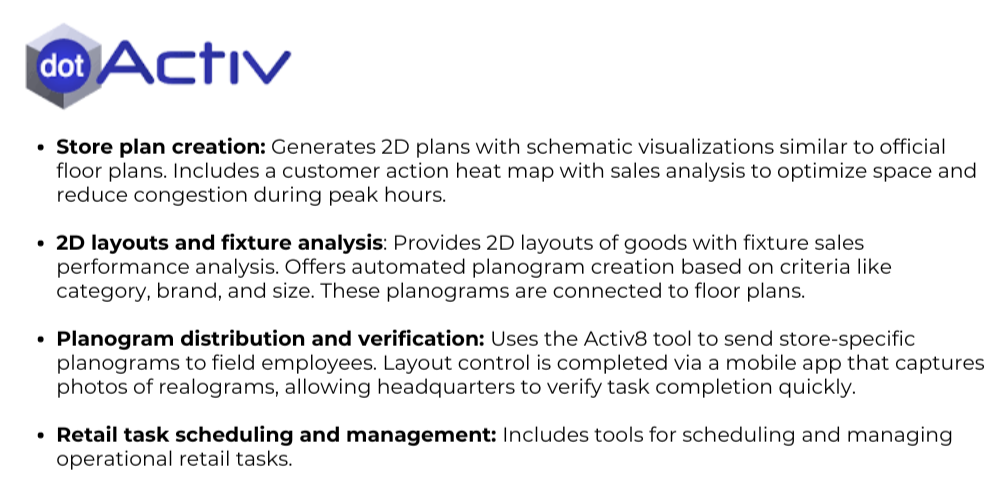
DotActiv is a South Africa-based category management platform that has expanded internationally. It combines planogram generation, cluster management, assortment planning, and retail analytics in a single tool. The recent addition of AI-assisted placement logic through integrations with Gemini and OpenAI adds automation beyond rule-based planogram building. A free tier for up to 40 SKUs makes it accessible to teams that want to test before committing a budget.
Key Features:
- AI-assisted product placement based on sales performance and shopper psychology principles
- Auto Planogram Refresh updates layouts automatically when assortment or underlying data changes
- Store cluster management for localized planogram strategies across diverse formats
- Approval workflow for managing planogram sign-off across category teams
- Advanced retail analytics with custom dashboards configurable without IT support
- Photorealistic 3D shelf visualization for realistic previews before physical resets
| Pros | Cons |
|---|---|
| Free tier available for up to 40 SKUs — useful for initial evaluation | Advanced cluster management requires the Enterprise tier |
| Transparent public pricing starting at approximately $800/year | Mobile execution capabilities less developed than LEAFIO AI or RELEX |
| Category management and planogram tools in one system | Less suited to very large retail chains managing thousands of locations |
Best for: Mid-sized retail chains and category management teams that need both planogram automation and category analytics with accessible entry-level pricing.
3. Blue Yonder Space Management: Best for Enterprise Retailers With Supply Chain Complexity
Blue Yonder (formerly JDA) is one of the most recognized names in retail space planning. Its space management module handles planogram design, floor planning, and space optimization for large, complex store networks. For retailers already embedded in the Blue Yonder supply chain ecosystem, the space planning module is a natural extension.
Key Features:
- Automated planogram generation with intelligent store clustering across large networks
- Macro and micro space management with integrated floor planning
- Shelf-level analytics and space optimization recommendations
- Direct integration with Blue Yonder's demand forecasting and supply chain planning suite
| Pros | Cons |
|---|---|
| Long-standing industry standard; most enterprise category teams have worked with it | Only practical if already in the Blue Yonder ecosystem |
| Handles multi-format store networks with diverse fixture libraries | Training costs are significant and documentation can be limited |
| Deep integration with supply chain tools in the Blue Yonder ecosystem | Cost and implementation complexity make it inaccessible below enterprise scale |
Best for: Large enterprise retailers with complex multi-format store networks where integration with an existing Blue Yonder supply chain environment matters.
4. RELEX Solutions: Best for Automated Planograms Across Thousands of Stores
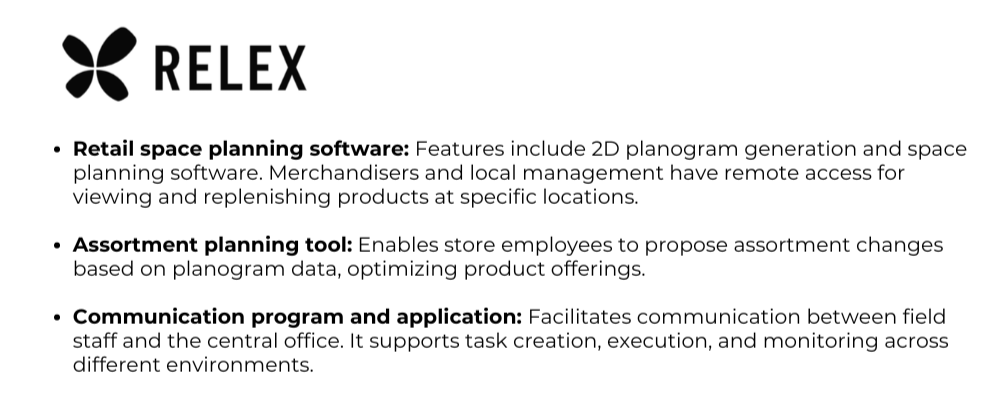
RELEX offers a unified retail planning platform where space management sits alongside forecasting, replenishment, and assortment. Its planogram strength is automation at scale: the system generates locally optimized planograms for thousands of stores, factoring in store-level demand patterns rather than applying chain-wide averages.
Key Features:
- Automated, locally optimized planogram generation for large store networks
- AI/ML-driven space optimization and layout recommendations based on actual store demand
- RELEX Planogram Delivery pushes updates to store associates via mobile
- Integrated with supply chain, inventory, and replenishment so shelf layouts reflect real stock positions
| Pros | Cons |
|---|---|
| Locally optimized planograms that adapt to store-level demand | Starting at approximately €3,000/year; full enterprise pricing significantly higher |
| Deep integration across supply chain, space, and workforce planning | Space planning module not available standalone |
| Strong track record at enterprise scale in grocery and specialty retail | Implementation is a multi-month project requiring significant data maturity |
Best for: Large retailers running thousands of stores who need automated, locally differentiated planograms without growing the category management headcount proportionally.
5. Spaceman: Best for CPG Teams in the NielsenIQ Ecosystem

Spaceman has been a fixture in CPG category management for years. Now part of Trax's retail technology suite, it remains a solid choice for category teams that work within the NielsenIQ data ecosystem. Its drag-and-drop interface makes it one of the faster tools for building and sharing planograms.
Key Features:
- Drag-and-drop planogramming with rapid fixture modeling
- Cloud-based platform for designing, sharing, and distributing store layouts
- NielsenIQ market data integration for demand-informed planogram decisions
- Widely used in CPG category management workflows
| Pros | Cons |
|---|---|
| Familiar interface for teams already in the NielsenIQ data environment | Less suited for grocery retailers managing their own store estate independently |
| Fast planogram creation for experienced category managers | AI automation capabilities more limited than AI-native platforms |
| Well-established in CPG workflows with solid support infrastructure | Pricing and licensing complexity can vary significantly |
Best for: CPG category management teams already embedded in the Spaceman workflow and NielsenIQ data ecosystem.
6. GoPlanogram: Best for Small to Mid-Size Teams on a Budget
GoPlanogram targets smaller CPG teams and independent retailers who need professional planogram output without the cost or complexity of enterprise platforms. It is cloud-based with no installation required, and it gets teams producing layouts quickly.
Key Features:
- Cloud-based planogram creation with no installation required
- Pre-built SKU library for common product categories
- Fast setup with an accessible learning curve for non-specialist users
- Export formats suited for retail buyer submissions
| Pros | Cons |
|---|---|
| Most accessible price point in this comparison | Limited automation and AI capabilities compared to enterprise tools |
| Quick to get started, suited for smaller teams without dedicated IT support | Not built for large-scale multi-store management |
| Professional output acceptable for buyer presentations | Lacks deep analytics and ERP integration options |
Best for: Small CPG supplier teams and independent retailers that need professional planogram creation without an enterprise budget.
7. EZPOG: Best for Manufacturers and Wholesalers Needing Cost-Effective Layout Tools
EZPOG is a cloud-based planogram suite aimed at manufacturers, wholesalers, and smaller retail operations that need solid layout tools without enterprise cost or complexity. It covers the essentials: visual shelf-set creation with product images, built-in financial analysis, and an image repository.
Key Features:
- Cloud-based planogram creation with products shown to scale using actual images and dimensions
- Financial analysis tools built into the planogram workflow
- Image repository for managing product visuals across SKU libraries
- Accessible pricing with multi-license discounts for larger teams
| Pros | Cons |
|---|---|
| Transparent, accessible pricing: Premium starts at approximately $1,299/license | Limited execution workflow, mobile audit, and compliance tracking |
| Fast to implement with a lower learning curve than enterprise tools | Analytics depth does not match category management platforms |
| Good fit for manufacturers and wholesalers needing buyer-ready output | Not designed for multi-store retail chains managing their own estate |
Best for: Manufacturers, wholesalers, and smaller retail teams that need professional planogram creation and financial analysis at an accessible price point.
8. PlanoHero: Best for Growing Retail Chains Automating Shelf Management
PlanoHero is a shelf management platform built for retailers who are scaling up and need to move planogram management from a manual process to something more systematic. Its AI auto-fill feature automatically populates empty shelf space with suitable products based on category logic and product data.
Key Features:
- AI auto-fill that populates shelf space based on category rules and product performance data
- Mobile app for store teams to access, execute, and report on planograms from the floor
- Central product database with SKU data, stock levels, and sales data
- Planogram publication management with execution deadlines and tracking across stores
| Pros | Cons |
|---|---|
| AI auto-fill reduces time spent on manual shelf planning during assortment changes | Analytics depth is less mature than top-tier platforms |
| Mobile tools make store-level execution more manageable without field supervisors | AI capabilities are narrower than LEAFIO AI or RELEX at scale |
| Practical fit for retailers at the growth stage | Not suited for very large or structurally complex networks |
Best for: Growing retail chains transitioning from manual planogram management to a more automated, system-driven approach.
9. Nexgen POG: Best Budget Option for Small to Mid-Size Retailers
Nexgen POG is a cloud-based planogram builder designed for small to mid-size retailers and suppliers who need fast, workable shelf planning without a large budget. Starting at $400/year with an unlimited licensing model, it is one of the most cost-accessible options in this comparison.
Key Features:
- 100% cloud-based: accessible from any device, no local installation required
- Customizable templates for fast planogram creation across common store formats
- Manual and automated planogramming modes depending on team capacity
- Unlimited licensing model with no per-seat cost ceiling
| Pros | Cons |
|---|---|
| Most affordable entry point in this comparison at $400/year | Analytics are limited: no trend analysis or predictive capabilities |
| Unlimited licensing makes it easy to roll out to larger teams | Not suited for large multi-format networks with complex execution requirements |
| Quick to set up with minimal training required | Less established in independent review databases |
Best for: Small to mid-size retailers and suppliers who need an affordable, easy-to-use planogram tool without a large technology budget.
10. OPENCatman: Best for International Retailers Needing Multi-Language Support
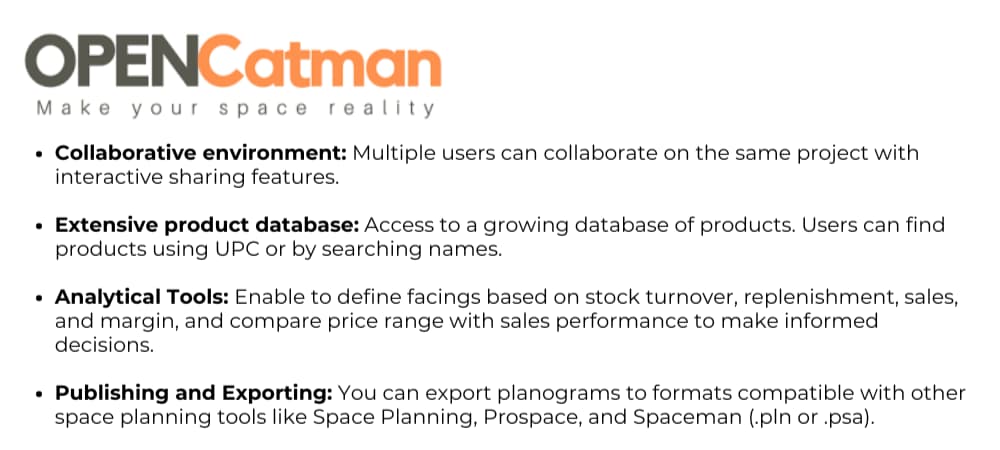
OPENCatman is a category management and planogram tool with a multilingual interface, a practical differentiator for retailers and CPG teams operating across multiple markets. Beyond localization, it includes planogram creation, space planning, and category analysis tools suited for cross-border retail operations.
Key Features:
- Multi-language interface supporting international retail and CPG teams
- Planogram creation and space planning tools
- Category management features including assortment and space analysis
- Support for multi-market reporting and operations
| Pros | Cons |
|---|---|
| Practical choice for international teams where language support is a genuine workflow requirement | Limited visibility in independent review databases compared to other tools |
| Category management features complement planogram creation | AI automation capabilities appear more limited than top-tier platforms |
| Flexible for teams working across multiple retail markets | Pricing and feature depth harder to evaluate without a direct demo |
Best for: International retailers and CPG teams that need planogram and category management tools with genuine multi-language support across markets.
11. SmartDraw: Best for Single Planograms and Buyer Presentations
SmartDraw is a general-purpose diagramming tool with a well-developed planogram module. It is one of the most visible names in planogram search results, largely thanks to its extensive template library and an in-browser editor you can try without installing anything. For retail teams, it is best understood as a drawing tool: you get professional-looking shelf layouts quickly, but every placement decision is manual.
Key Features:
- Drag-and-drop planogram editor with retail fixture and product shape libraries
- Large planogram template gallery for common store and category types
- Runs in the browser with a live demo, no installation needed
- Exports to PowerPoint, PDF, and image formats for buyer presentations
| Pros | Cons |
|---|---|
| Fast to start: templates plus an online editor with no onboarding | No automation: every product is placed manually |
| Affordable per-user pricing | No sales data integration, analytics, or compliance tracking |
| Great output quality for presentations and buyer submissions | Does not scale to multi-store planogram management |
Best for: CPG reps and small teams that need presentable single planograms fast, not chains managing store-specific layouts at scale.
12. Creately: Best for Collaborative Visual Shelf Planning
Creately is a visual collaboration platform that offers planogram templates as part of its diagramming toolkit. Its strength is teamwork: several people can build and comment on a shelf layout in real time. Like SmartDraw, it is a drawing environment rather than a retail system: there is no connection to sales data or store execution.
Key Features:
- Planogram templates within a general diagramming workspace
- Real-time multi-user collaboration and commenting
- Free tier available for small projects
- Browser-based with desktop apps
| Pros | Cons |
|---|---|
| Free tier makes it the cheapest way to sketch a planogram | Planograms are generic diagrams with no retail-specific logic |
| Excellent for collaborative drafts and quick internal alignment | No facings logic, SKU dimensions, or fixture constraints |
| Minimal learning curve | No analytics, integration, or compliance capabilities |
Best for: Teams that want to sketch and discuss shelf concepts collaboratively before committing to a dedicated retail platform.
13. ShelfLogic: Best for Small Teams Doing Manual Shelf Planning
ShelfLogic is one of the longest-standing dedicated planogram applications on the market, focused squarely on manual shelf planning. Unlike general diagramming tools, it understands retail concepts such as facings, shelf dimensions, and product databases, and offers downloadable free trial versions, which has kept it popular with small merchandising teams.
Key Features:
- Dedicated planogram editor with product and fixture databases
- Facing-level control with automatic space calculations
- Reporting on space allocation and product placement
- Free trial versions available for download
| Pros | Cons |
|---|---|
| Purpose-built for planograms, deeper than generic drawing tools | Manual workflow with no AI generation or auto-optimization |
| Free trial downloads lower the entry barrier | Dated, desktop-centric interface |
| Established vendor with a long market track record | No mobile execution or in-store compliance verification |
Best for: Small retail and supplier teams comfortable with manual planogram building who need more retail logic than a diagramming tool provides.
14. Scorpion Planogram: Best for Growing Chains Needing Design Plus Automation
Scorpion Planogram (Scorpion One) is a dedicated shelf planning suite that sits between manual editors and full automation platforms. It offers planogram design with a 3D store view, plus modules for rule-based planogram automation, making it one of the more capable specialist tools ranking for planogram queries.
Key Features:
- Planogram design editor with 2D and 3D visualization
- Planogram automation module for rule-based layout generation
- Floor planning and store layout tools
- Cloud-based with team collaboration features
| Pros | Cons |
|---|---|
| Covers both manual design and rule-based automation | Automation is rule-based rather than AI/forecast-driven |
| 3D visualization helps sell layouts internally | No AI photo recognition for in-store compliance |
| Modular pricing lets teams start small | Analytics depth below enterprise platforms like LEAFIO or RELEX |
Best for: Growing chains that have outgrown manual drawing tools but are not ready for an enterprise AI platform.
How to Choose the Right Planogram Software for Your Business
The right tool depends less on feature lists and more on where your operation actually breaks down. Here is a practical way to think through the decision.
- How many stores and SKUs are you managing? A standalone operator with one location has different needs than a grocery chain running 500 store formats. Once you manage more than 20 to 30 stores, manual or semi-automated tools will bottleneck your category team. Tools like LEAFIO AI or RELEX are built for this. DotActiv covers the middle ground.
- Do you need the full cycle or just part of it? Some teams already have planning tools and need compliance verification as a separate layer. Others need everything: design, optimization, distribution, execution, and analytics. A unified platform avoids the overhead of stitching systems together.
- What does your ERP or POS environment look like? Planogram software without live data stays static. Before evaluating tools on features, confirm which ERP and POS systems they connect with. Most enterprise platforms handle SAP and Oracle. Smaller tools typically rely on flat file imports or API connectors.
- Is store-specific layout optimization important to you? If all your stores share the same footprint and assortment, chain-wide planograms may be sufficient. If stores vary in format, local demand, or fixture configuration, you need software that adapts layouts per location.
- How honest are you about your implementation capacity? Enterprise platforms like Blue Yonder, RELEX, and DotActiv Enterprise are powerful. They are also expensive and take months to deploy properly. A mid-market tool your team actually uses is more valuable than an enterprise platform that requires 18 months to implement.
- Where do you want to be in two years? If you are growing your store count or building toward AI-driven category management, invest in a platform that grows with you. Switching planogram tools mid-growth is expensive and disruptive.
Questions to Ask Planogram Software Vendors Before You Sign
Most sales conversations focus on demos. These questions surface what matters after you have signed.
- Can the system generate store-specific planograms automatically, or does someone need to manually adapt each template per location?
- How does the software handle assortment changes? If a SKU is added or removed, how does that update the planogram, and how quickly?
- What does in-store execution verification look like? Is it photo-based, barcode-based, or self-reported?
- What ERP and POS systems have you integrated with, and can you show a live example from a similar retail environment?
- How long does a typical implementation take for a chain of our size, and who owns the onboarding process on your side?
- What does pricing look like as we scale? Are there per-user charges, per-store charges, or both?
How AI Enhances Planogram Software
The traditional planogram workflow is rule-based: planners define facing counts, sorting logic, and shelf assignments, then apply those rules across locations. AI shifts the model. Instead of enforcing fixed rules, the system learns from sales outcomes, demand patterns, and store-level behavior to generate layouts that actually maximize performance per shelf segment.
In practice, this means three things. First, generation speed: what takes a category manager half a day to build manually can be automated in minutes when the system draws on live sales and inventory data. Second, store-level accuracy: AI-native platforms adapt layouts to store-specific demand without manual overrides for every location. Third, compliance detection: image recognition flags execution gaps from shelf photos rather than relying on self-reported confirmation.
Most legacy planogram tools on the market still rely heavily on rule-based logic. The "AI" label in their marketing often describes a limited set of sorting algorithms, not genuinely adaptive generation. Platforms like LEAFIO AI Shelf Efficiency are built around machine learning-driven optimization from the ground up, which changes what is achievable at scale.
How to Launch a Planogram Solution That Scales
Switching from spreadsheets or disconnected tools to a dedicated planogram platform is manageable when the rollout is sequenced correctly. For chains moving to LEAFIO AI, the typical process looks like this:
- Connect ERP data feeds. Sales, inventory, and master data are the foundation. This step usually takes one to two weeks with the integration team.
- Build equipment and product libraries. Fixture templates and product dimensions are entered once and reused across all future planograms.
- Define category rules and generation parameters. Sorting logic, facing minimums, and ABC classification thresholds are configured per category.
- Generate planograms for a pilot cluster. Start with five to ten representative stores before rolling out chain-wide.
- Deploy via the mobile execution app. Store staff receive tasks on their devices and complete them against the visual planogram guide.
- Review analytics post-rollout. Shelf performance metrics are compared before and after, and generation rules are refined based on outcomes.
After six to twelve months, most teams see planogram creation volume increase while time per layout drops. The bandwidth that frees up tends to go toward category strategy rather than layout maintenance.
FAQ
What is the best planogram software in 2026?
The best planogram software depends on your scale and workflow. For mid-to-large retail chains that need automated generation, floor planning, and in-store compliance tracking in one system, LEAFIO AI Shelf Efficiency is the strongest option in this comparison. For enterprise retailers with unified supply chain requirements, RELEX Solutions is a strong fit. For teams that want accessible entry-level pricing, DotActiv's free tier or Nexgen POG at $400/year are practical starting points.
What features should I look for in planogram software?
The core features to evaluate are planogram generation automation (does it build layouts from sales data, or only format what you draw manually?), store-specific customization, mobile execution support for in-store compliance, built-in analytics covering sales per meter and facing efficiency, and ERP or POS integration. Teams managing large store networks should also look for floor planning capabilities and cluster management.
How much does planogram software cost?
Pricing varies widely. DotActiv has a free tier for up to 40 SKUs, with paid plans starting around $800/year. Nexgen POG starts at $400/year. EZPOG Premium is approximately $1,299/license. RELEX Solutions starts at approximately €3,000/year for basic licensing. Enterprise platforms like Blue Yonder and LEAFIO AI price on a custom basis by chain size and module selection.
Is there free planogram software available?
Yes. DotActiv offers a free tier limited to 40 SKUs on a single planogram. Nexgen POG and EZPOG both offer free trials. Teams managing more than a handful of locations typically outgrow free tools quickly, as they lack the automation and integration capabilities that make planogram software valuable at scale.
What planogram software works best for small retail businesses?
For smaller retailers, GoPlanogram and Nexgen POG are practical choices for professional planogram output without complex implementation. DotActiv's free or Lite tier is useful for teams that want category analytics alongside basic planogram creation. All three are accessible without lengthy onboarding processes or enterprise-level pricing.
How does planogram software integrate with ERP or POS systems?
Most enterprise platforms — including LEAFIO AI, RELEX, and Blue Yonder — integrate with ERP systems like SAP and Oracle to pull master data, sales figures, and inventory levels. This live data connection is what enables automated generation. Always confirm integration specifics with the vendor before committing.
How long does planogram software implementation take?
Implementation timelines range from days to several months depending on the platform and chain size. GoPlanogram, Nexgen POG, and EZPOG can be operational within days for smaller operations. LEAFIO AI typically takes a few weeks to fully deploy across a mid-sized chain. Enterprise platforms like RELEX and Blue Yonder usually require three to six months for full implementation.
How does AI improve planogram workflows?
AI primarily addresses three workflow problems: generation speed (automated layout creation from sales data vs. manual drawing), store-level accuracy (adapting layouts to local demand rather than applying chain-wide averages), and compliance detection (image recognition to verify execution from shelf photos rather than relying on self-reporting).
Can planogram software help reduce out-of-stocks?
Yes. Planogram software reduces out-of-stocks by ensuring space allocation reflects actual product velocity, by flagging when execution gaps leave shelves empty or incorrectly filled, and by connecting shelf planning to replenishment logic. The bigger the gap between planned and executed layouts, the higher the out-of-stock exposure.
What is the difference between planogram software and retail space planning software?
The terms are often used interchangeably. Space planning software sometimes refers to broader tools covering floor planning and supply chain integration, while planogram software focuses specifically on shelf layout and product placement. Most modern platforms now cover both.


Have a question?

Kristi Miller
Retail optimization expert
