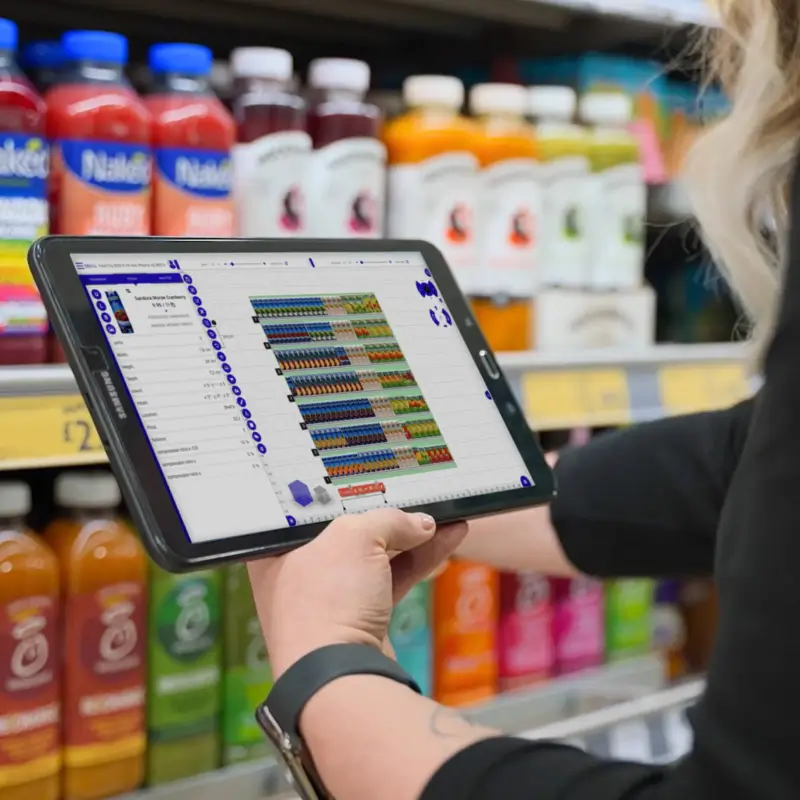


Supermarkets or grocery stores are the most common type of store we all encounter in our daily lives. It’s where we buy most consumer goods: food, drinks, household items, etc. Supermarkets are convenient because we can buy everything at once and at a good price – many supermarkets are discounters. It is only logical that competition in this retail sector is very tough, and one of the most effective tools in the fight for consumer favor and money is an attractive display, the key to which is a properly designed grocery store planogram.
In this article, we'll take a look at what functions a planogram grocery store performs, besides the most obvious ones, and how using modern software for building and optimizing grocery planograms can significantly increase their effectiveness, turning them into your trump cards.
Planograms Encourage Supermarket Customers To Buy More
When discussing the application of grocery store planograms, the foremost consideration is optimizing shelf space efficiently. This involves strategically placing goods based on factors such as their profitability for the store, their role within the category, agreements with suppliers, and the availability of seasonal and promotional offers, among other considerations.
Nevertheless, supermarket planogram can also significantly influence consumer behavior and customer psychology through several key aspects:
Visual effect
First impressions are important in any business. Well-designed planograms for grocery stores should help the customer quickly navigate the store and guide them to the right products. Customers should always feel a sense of control when shopping, and they also should not be stressed so that they maintain a positive attitude toward coming to the particular store. In addition, it is the planogram that can control the path customers take in the store (more on this below).
To enhance the attractiveness, aesthetic value, and general perception of the assortment in order to entice customers to take a closer look and purchase them, the products should be arranged neatly and logically. On that note, two basic display formats are commonly used in supermarkets: vertical and horizontal.
Vertical displays show the products arranged from top to bottom and horizontal displays place them along the entire length of the shelf or the particular piece of equipment used (each product occupies 1 or 2 shelves). While both options offer advantages in displaying categories, manufacturers, or brands, and bolster the speed and simplicity of shopping, horizontal displays are more suitable for large goods, and vertical displays are typically used for small, packaged products. See below for other more particular types of supermarket displays.
Social Psychology and Psychological Triggers
It has been proven that when it comes to shopping, people tend to follow others and react in relatively the same way to certain visual and sensory triggers. These are the aspects that influence purchase decisions based on a common psychological basis and can all be affected by utilizing a professional grocery store planogram:
a) Stimulating impulse purchases. Products placed on promotional stands or near checkouts when people are waiting in line encourages impulse buying. It is especially true for small items and accessories.
b) Encouraging the purchase of additional related items. The arrangement of products in certain combinations influences customers' decisions: complementary products (i.e., those that are often used together) should be placed next to each other, which increases the likelihood of a customer purchasing both. In the case of food, this could be cereals and muesli next to milk, or spices and sauces next to meat.
c) Psychology of pricing: the arrangement of goods by price often creates certain emotions in customers. For example, the use of special shelves for discounted offers enhances the feeling that you have found a bargain. Emphasizing the premium status of a product (e.g., bio-products) creates the feeling of buying a higher-quality product.
d) Psychological triggers. These include intangible tools that can evoke certain emotions and stimulate the buyer to make the purchase: color, light, sounds, smells. For example, the red color of price tags is traditionally associated with discounts or sales, while green appeals to environmental awareness. The smell of fresh baked food can stimulate sales of bakery products, and periodic announcements of promotional offers over the loudspeaker in the hall will direct customers to them.
Influencing the customer's route through the sales floor and the time spent in the store
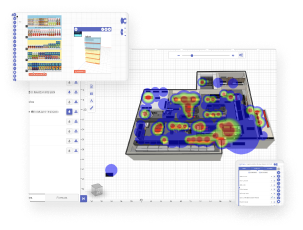
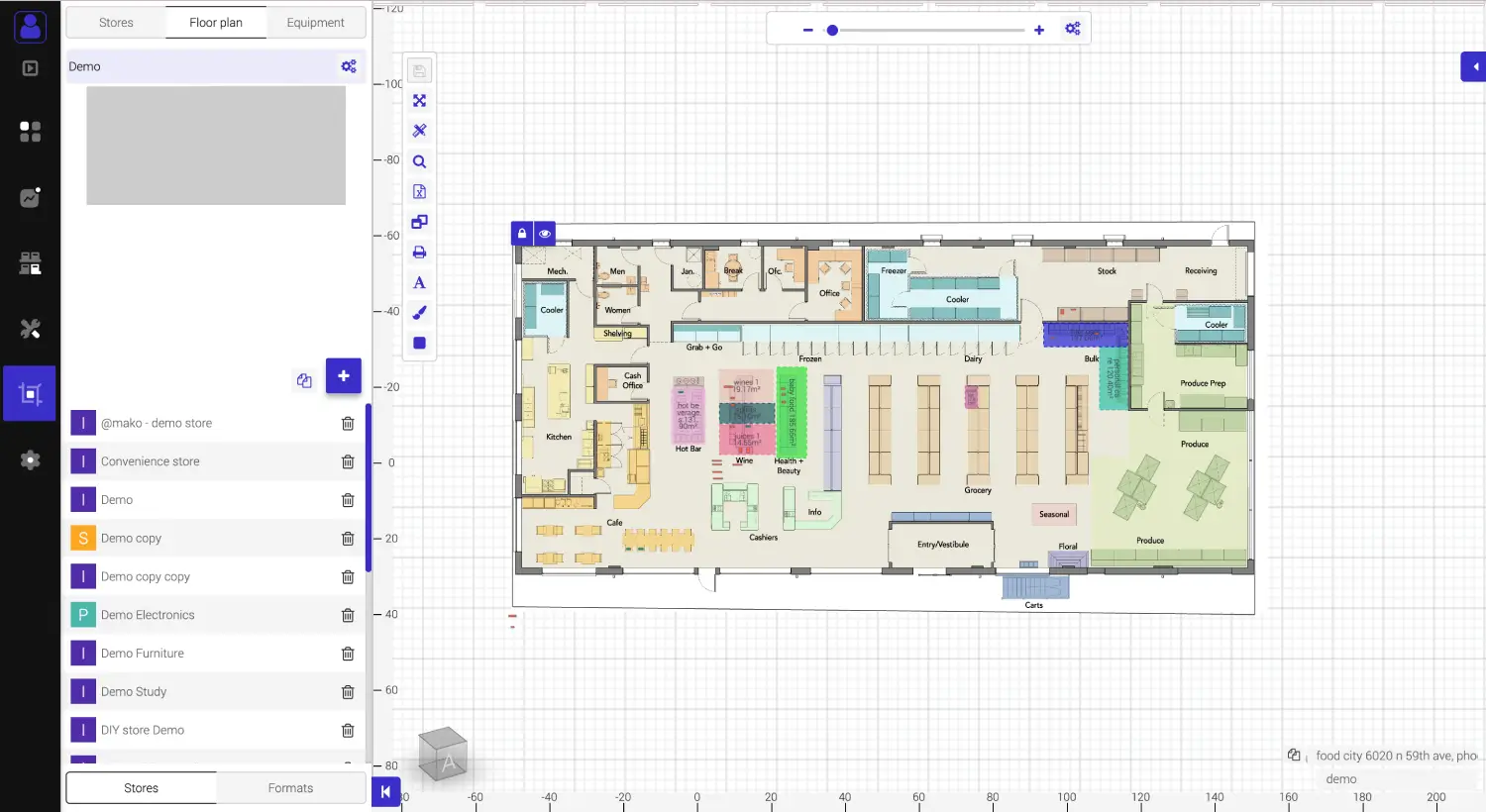
As we have already mentioned, you can control the path that customers take in the store using a planogram and stimulate unplanned purchases. If the products are arranged so that customers walk through the entire store this can increase the length of time customers spend in the store and multiply the opportunities to make additional purchases.
Proven tips:
- Place the essentials in the back of the store. This way, your customers will have to pass by all your other products before putting milk and bread in the cart.
- On the contrary, the most delicious and expensive delicacies should be closer to the door or even in the front window, if you have one. If your customer doesn't have a clear shopping list, they're more likely to indulge while the basket is still empty.
- Place the products that are most often bought (and/or that need to be sold quickly) at eye level. This is called the purchase level because customers can quickly "scan" and find what they need. If the product is aimed at children, place it lower on the floor – about the height of a toddler.
- Consider the fact that most people are right-handed – focus on the right side of the customer's route through the store first.
However, the methods of "keeping" the customer in the store should be approached carefully, so as not to confuse them and ruin the overall consumer experience.
Having said much about supermarkets, we should not forget about the specifics of grocery retail, which, of course, should also be taken into account when working with supermarket planograms.
- First, grocery stores have a large and diverse assortment of goods, with categories that have significant differences in terms of placement, storage, display, turnover, etc. – from fresh produce and meat to packaged foods, beverages, and groceries by weight. Each product has its own shelf life, consumer preferences, rules and even traditions of display, sale and consumption, seasonality and specifics of promotions.
- Secondly, in addition to the factors directly related to the goods, when building grocery store planograms, sanitary and hygienic norms and standards, safety and health requirements, labeling rules and even possible disposal of spoiled products should be taken into account.
As a result, it is not just about placing goods on the shelves but about creating a comprehensive visualization that considers many aspects, factors, and conditions that need to be met to conduct business efficiently and systematically. In short, planograms for grocery stores require frequent adjustments and those are much easier to make when you are using modern specialized software like those described below.
Types of Grocery Planograms
The simplest and most intuitive way is to divide grocery planograms by the level of detail:
- To the level of a category or group of goods in the form of a block within a flowchart.
- To the item level, when the planogram shows the number of facings of each individual item.
Certainly, the second option is more preferable, as it eliminates the influence and risks of human error, which typically arise when the final grocery planogram is formed at the discretion of the employees on the floor. The first option is acceptable in large supermarkets, where there is a small wholesale option, or in supermarkets for bulk goods.
Let’s revisit the formats of the actual displays used in grocery supermarkets. In addition to the traditional vertical and horizontal formats described above, there are the following common formats:
- A display shelf is a stand, rack, or counter separate from the main shelves, where goods usually presented in the main display are duplicated. It is used to draw additional attention to, for example, promotional offers. It can also be used as a "testing ground" to determine which retail equipment sells a particular product better (in this case, it is specially labeled and then the sales results are studied).
- Corporate (branded) unit for displaying products of a specific brand only. It can be made both in the form of separation and/or allocation of a part of the common shelf space and in the form of separate stands. It is widely used in combination with tasting promotions to facilitate the identification of brand products.
- Pallet display is a format in which a certain product is laid out in large quantities on a pallet with a large price tag indicating the price and name of the product. It is used mainly around the perimeter of the sales floor, at the ends of rows, in wide aisles and/or approaches to the checkout area in cases where a large quantity of goods is available and needs to be sold quickly. The format is also common in small wholesale trade, when goods are sold in bundles (water and soft drinks, toilet paper, etc.).
- Bulk display is a format used mainly for bulk goods (cereals, sugar, flour), fruits and vegetables, and other goods by weight (candy, cookies, pet food). Various types of containers are used, both those available in the store and those provided by manufacturers (including for corporate units).
- Decorative displays are made using techniques and means of three-dimensional composition to attract additional attention of customers. It is widely used in stores or departments where sales are made over the counter, as well as when creating brand zones, the equipment for which is provided by the manufacturer or a large distributor.
Naturally, this is not a complete list of display formats used in supermarkets. Time does not stand still: with the advent of self-service checkouts, checkout areas are changing, supermarkets' own bakeries use specialized vending equipment with their own rules and standards for display, manufacturers and distributors, together with retailers, are actively experimenting with display formats in concept stores, using new technologies such as interactive displays, dispensers, and vacuums.
You can and should experiment as well, but one thing remains clear: modern layout and effective supermarket planograms are achieved by analytics and data-driven solutions.
Creating Effective Grocery Store Planograms
As we have mentioned, planograms help to solve a very wide range of grocery retail tasks. However, writing from our own experience with communicating with potential customers, we can say that many supermarkets, both individual and chain, still either do not make planograms at all, they simply send stores a letter with the specification of goods to be placed on the shelves in the relevant departments, or make planograms in Excel or simple graphic editors and send them to the field in PDF or JPEG format. Of course, in both of these cases, there is hardly any analytics, consideration of the specifics of a particular outlet, operational control, and adjustment/optimization of the grocery planogram.
On the other hand, some grocery retailers are already creating digital planograms in specialized solutions such as merchandising software LEAFIO. They already have a competitive advantage, because our solution allows them to implement a holistic, efficient business process for creating and managing grocery store planograms for the entire network at once. With LEAFIO Shelf Efficiency, you can substantially speed up all stages of planogram work. Your supermarket planograms become paperless, uniform and intuitive in terms of presentation, and put the whole process on a sound analytical foundation that guarantees manageability.
Shelf Efficiency Smart Tool for Supermarket planogram creation
- Create, modify, replicate supermarket planograms considering the layout features of each store and the available equipment. The program even allows you to create planograms for a group of stores (formats). That is, the equipment and planogram will be created taking into account information about the size of the store, sales, assortment, and other factors of your choice. Based on the example of real cases, it has been proven that the use of our software significantly speeds up the process of launching new or updated stores, rotating the assortment, holding promotions and sales with the use of much less resources, both human and material.
- Position products based on analytical data and defined goals (sales targets, presentation, promotions and sales plans). LEAFIO Shelf Efficiency features built-in algorithms that will help you automatically generate the layout and provide you with in-depth analytics that will highlight the indicators and aspects that need to be adjusted.
- Analyze your layout and optimize it with the powerful analytics and data visualization tools implemented in the solution. As part of the solution, you have access to 7 dashboards with visual analytics of planograms. The analytical data is selected in such a way that you can easily see the opportunities for optimizing grocery planograms and achieving the business indicators you need. Necessary reports are generated in a few clicks and displayed in a clear graphical and tabular format, which also frees up human resources.
- Control store displays. Thanks to the cross-platform mobile application, created planograms, instructions and recommendations can be sent to employees in the field and monitored for implementation. The application supports photo sharing for monitoring and comparing the result with the plan in addition to the control through the report format.
Go Digital, Go Data-driven, Go LEAFIO
Effective grocery store planograms are a powerful tool in the competitive supermarket arena. There’s no doubt about it. You have to stay ahead of your competitors and LEAFIO Shelf Efficiency Visual Merchandising software and Planogram software is exactly the solution you need to stay ahead of those few crucial steps ahead.
Grocery Planogram FAQ
What is a planogram in supermarkets?
A planogram in supermarkets is a visual merchandising tool that maps out the placement of products on shelves. It optimizes space, enhances visual appeal, and influences customer behavior. By strategically arranging items, planograms maximize sales potential and streamline the shopping experience.
What are the 6 types of planogram?
The six types of planograms commonly used in supermarkets are: Vertical displays, Horizontal displays, Display shelves, Corporate (branded) units, Pallet displays, and Bulk displays.
What is grocery planogram?
A grocery planogram is a visual representation or layout that outlines the arrangement of products within a grocery store. It dictates where each item should be placed on shelves or displays to optimize sales, enhance the shopping experience, and ensure efficient use of space.
Why are planograms important for grocery stores?
Planograms are essential tools for stores as they maximize sales, optimize space utilization, enhance the shopping experience, influence purchasing behavior, maintain brand consistency, aid in inventory management, and ensure efficient operations and customer satisfaction.


Have a question?

Jack Larson
Retail Optimization Expert
